
Features
Library management features for every job at the desk.
Khulla is an open-source library management system, sometimes called library automation software, for libraries run from one desk: schools, colleges, community libraries and reading rooms. The dashboard shows what's borrowed, overdue and on hold before the first loan of the day. At the counter you check books in and out, and the catalogue keeps every title and copy straight with barcode labels you can print. You can manage members and holds, track fines, export reports for the committee, give each staff member their own account, and back up the whole library when you move machines.
Opening up
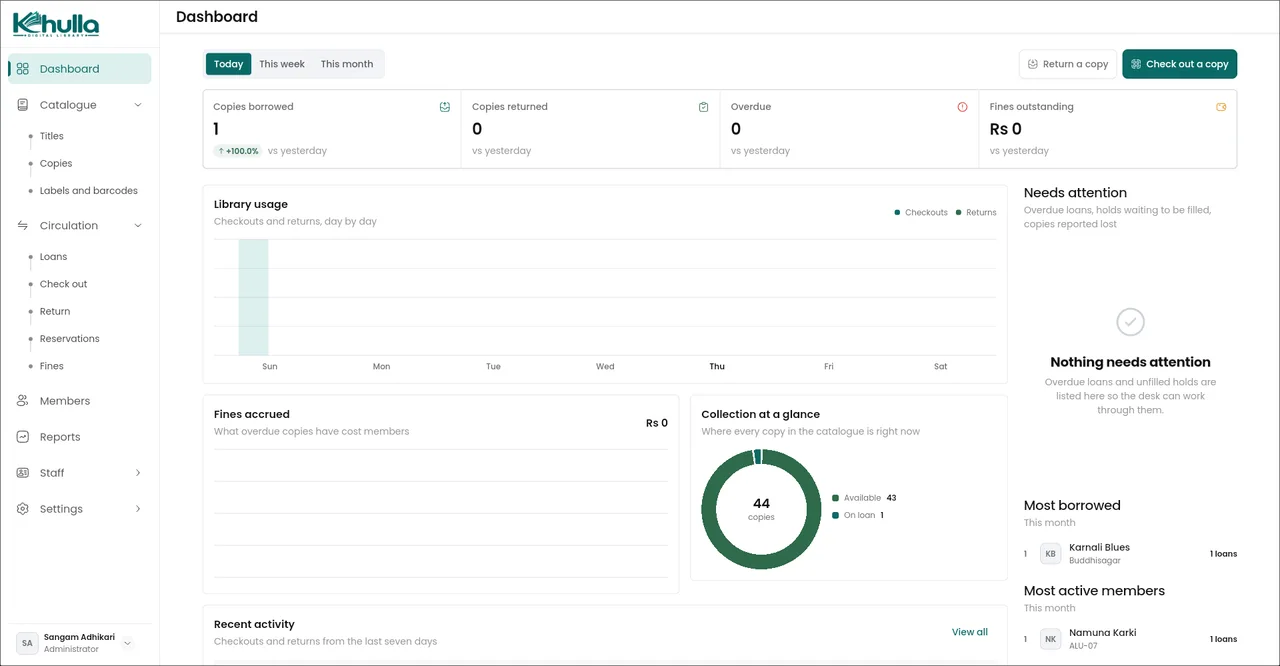
- Dashboard. See what's out, overdue, on hold, or missing — at a glance.
At the desk
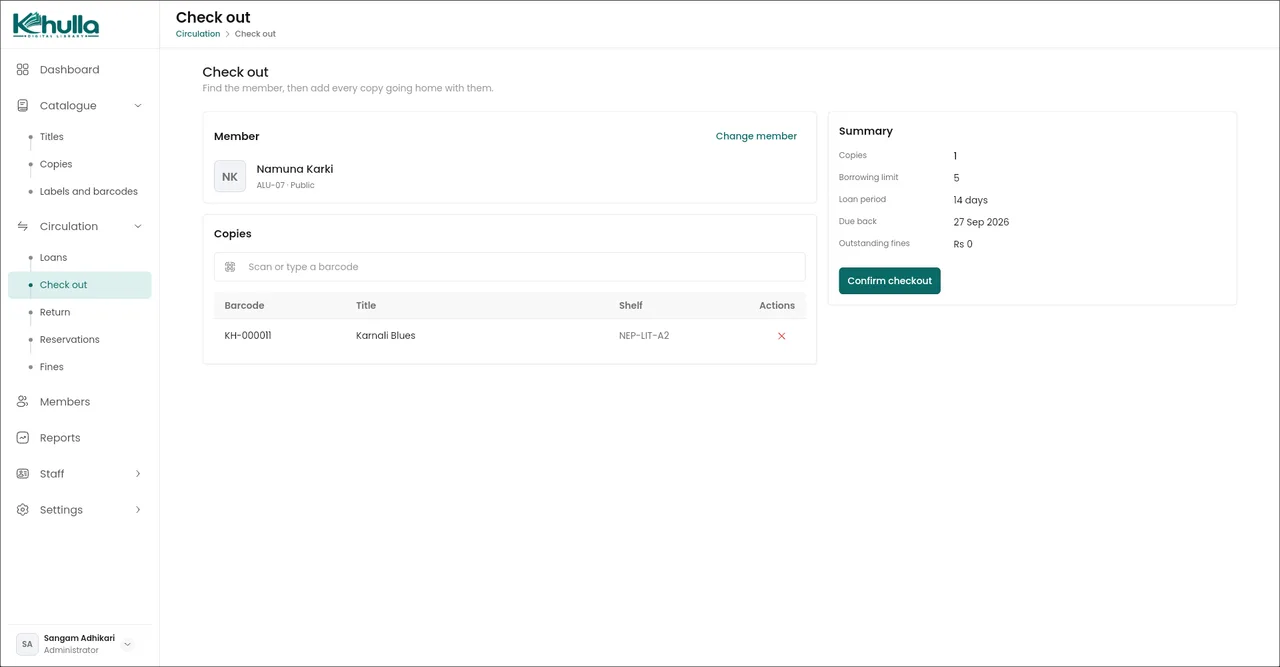
- Check out, return, renew. Scan a copy, pick a member, done. Returns close the loan and calculate fines for you.
- Holds. A queue for members waiting on a title. Returned copies wait on the shelf, then go to the next person.
- Fines. Track what members owe, what's paid, and what's waived — including lost-copy and membership charges.
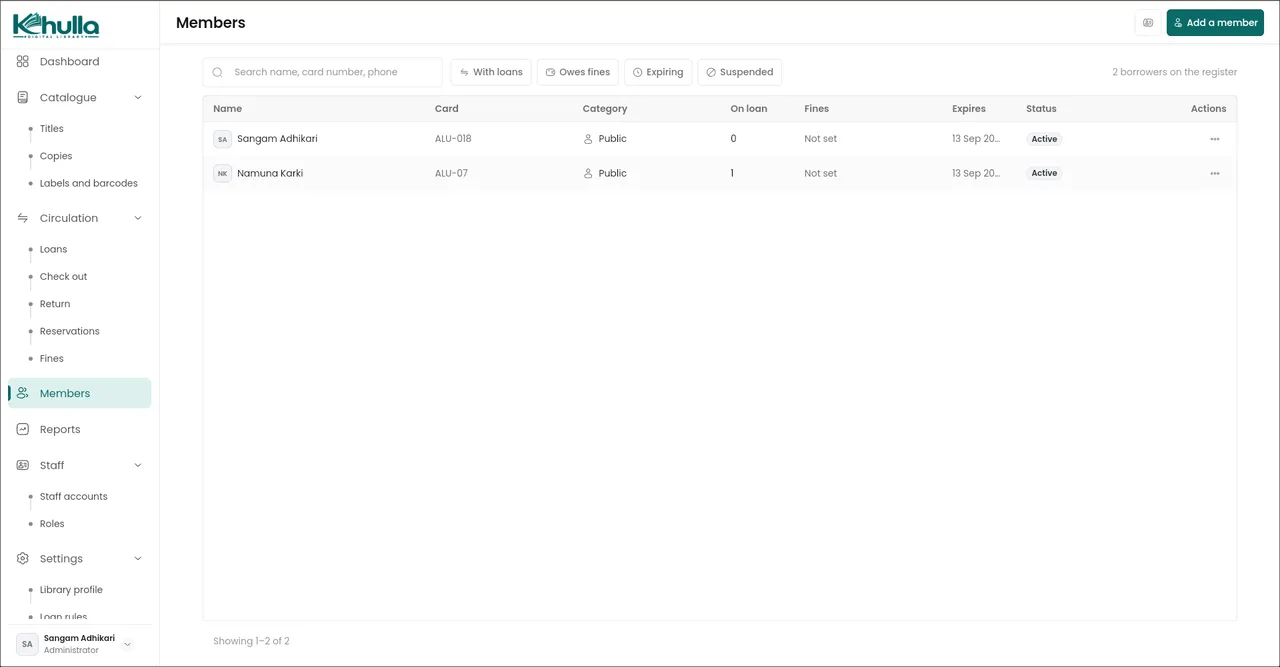
- Members. One register with categories and renewals. Optionally block lending to members who are already overdue.
Behind the desk
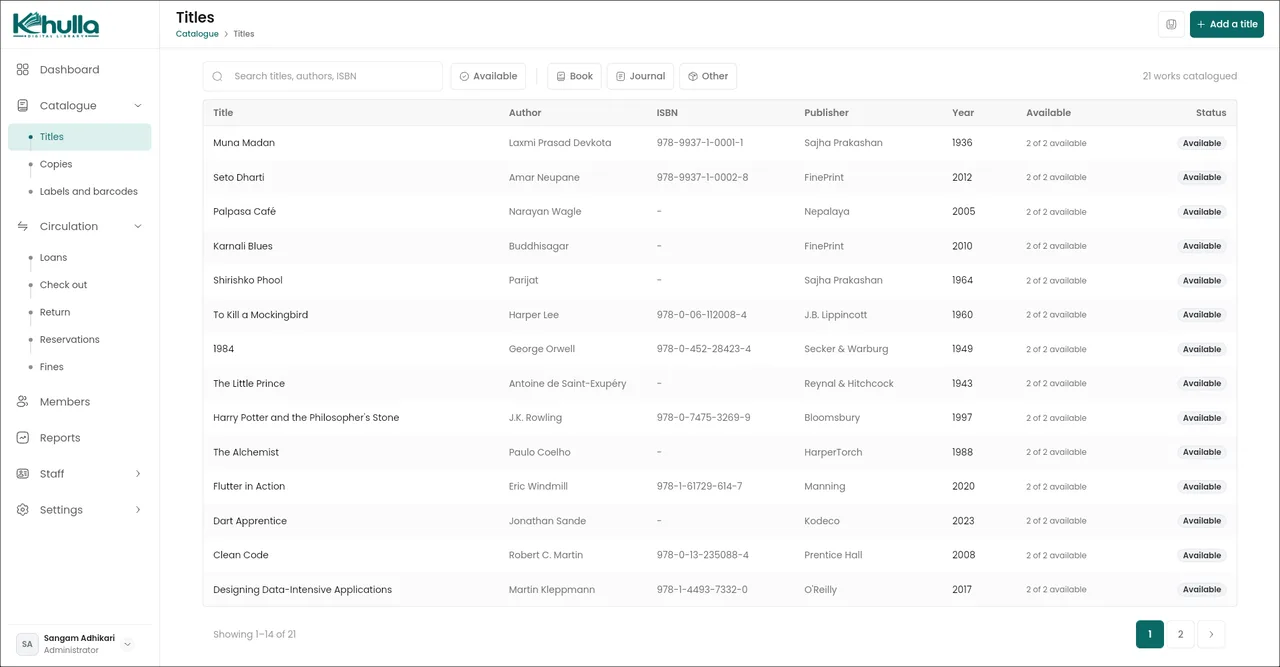
- Catalogue. Titles and copies kept separate. Auto-numbered barcodes. Search from just three letters.
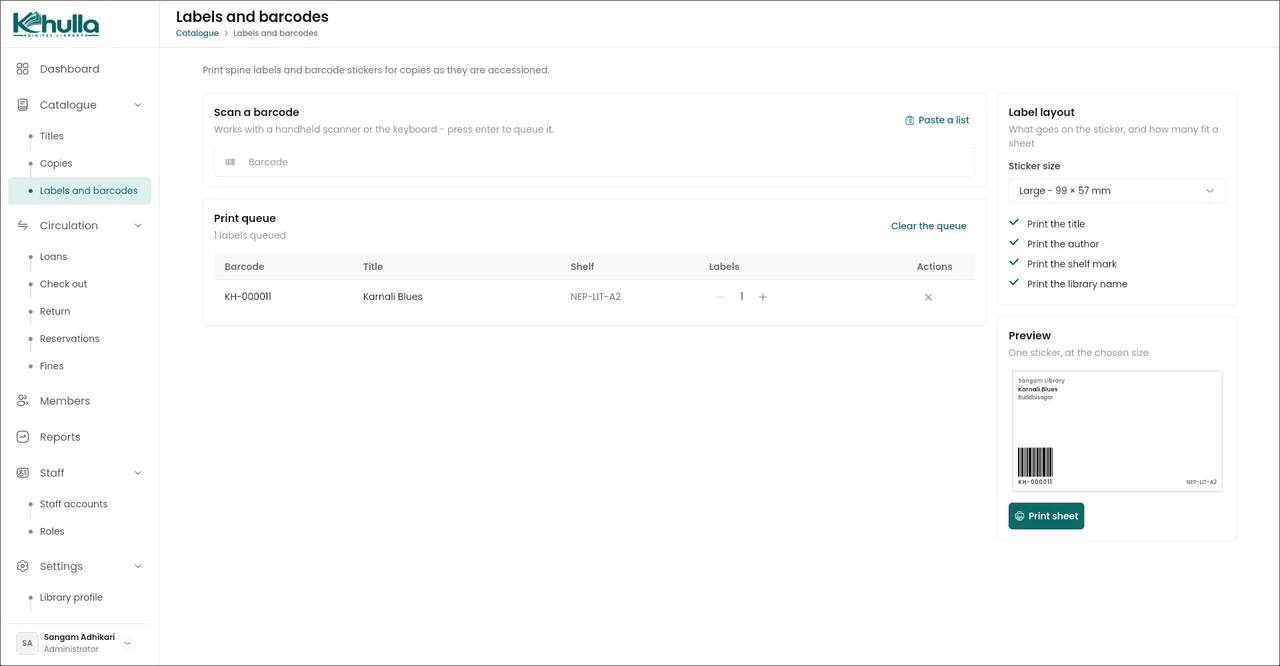
- Labels. Scan or paste accession numbers, then print spine labels and barcode sheets.
More on barcode numbering and spine labels.
For the committee
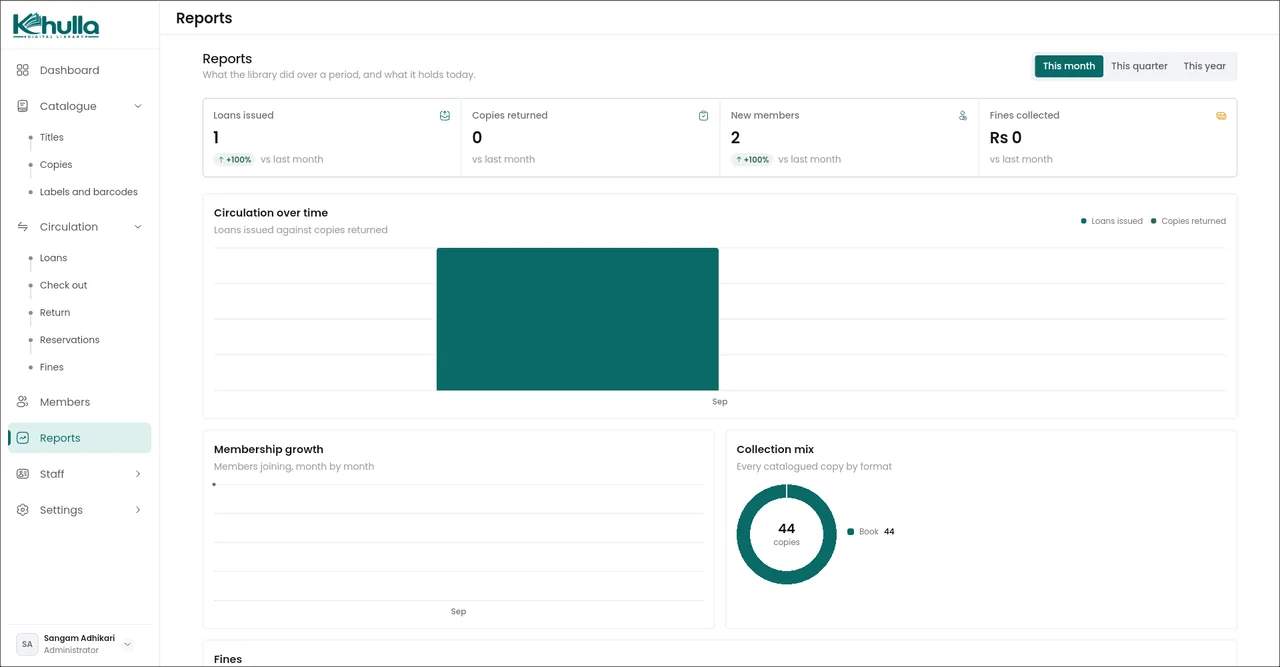
- Reports. Circulation, collection, membership, fines, and top titles. Export to CSV.
- Staff and roles. Separate accounts for each staff member, with four permission levels.
- Backup and restore. Export your whole library as one file and restore it on any machine.
Why there's no server
Your catalogue, members and loans live on the machine where you run Khulla, not in our cloud. Nobody outside the library can see who borrowed what. More on using Khulla offline.
- Open source. AGPL-3.0 licensed, with no subscription, no paid tier and nothing to renew.
- No hosting bill. No server to rent and no monthly fee on top of the software.
- Works offline. Checkout and returns keep going when the Wi‑Fi drops.
What you don't need
- A subscription. No monthly fee, per-seat charge or renewal date — the software itself costs nothing.
- A server in the cloud. No computer to rent in a data centre and no hosting bill to pay.
- Internet every day. Nothing you do at the desk has to go online.
- An account with us. Staff sign in on your installation, not through our website.
- Sending us your records. We never see your catalogue or your members.
Good to know
- One desk, one catalogue. Two computers don't share one live catalogue yet. That's what we're building next.
- Each device keeps its own copy. On Windows, Linux or Android, the catalogue lives on that machine. In the web version, it lives in that browser. They don't sync unless you move a backup file.
- Backups are yours to take. Settings → Backup exports one file. Do it before an upgrade, before moving computers, and on a regular schedule.
Languages and currency
The interface is available in English and Nepali, and titles, authors and members can be typed and searched in Nepali Unicode as well as English. Fines and fees are shown in the currency you choose, with lakh-style digit grouping for South Asia. Khulla for libraries in Nepal.
Get Khulla
Download it for Windows, Linux or Android, host the web version yourself, or try the demo in a browser first. There's no account to create. Weighing it against Koha or other open-source systems? See open-source library management software compared. Questions? Read the FAQ, or contact us on WhatsApp or by email for help setting it up.